
WORKFLOW AUTOMATION

Processes that run themselves so your team can do the work that requires them

Manual coordination between systems is a tax on everyone involved. Every handoff that requires a human to copy data from one system to another, trigger a notification, or route a task to the next step is time that could be applied to work that actually requires a person.

We design and implement automation for the workflows where manual coordination is the primary cost driver, connecting your existing systems, triggering actions on conditions rather than on schedules, and routing exceptions to humans only when a decision is genuinely required rather than every time an event occurs.

Well-designed automation does not remove people from workflows. It removes people from the parts of workflows where being human is a liability, error-prone repetition, delayed handoffs, forgotten steps, and concentrates their time on the parts where being human is an advantage.

What's happening in Workflow Automation

0 %
of workers say at least one third of their time is spent on repetitive manual tasks that could be automated, the productivity capacity lost to manual coordination in most organisations is larger than any single efficiency initiative has ever recovered
0 x
ROI reported by organisations with mature automation programmes, the return compounds as automation scope expands to adjacent workflows and the organisation develops the internal capability to design and maintain automation without external dependency
0 %
of repetitive business processes can be automated with current technology, the barrier is not technical feasibility but the discipline to map workflows before automating them, which most automation projects skip
0 %
reduction in error rates in automated workflows compared to their manual counterparts, errors in manual processes are almost universally related to human factors (fatigue, distraction, inconsistent procedure adherence) that automation eliminates structurally
THE WEBIZONA DIFFERENCE

Why choose Webizona as your Workflow Automation company?

Process before platform

The automation platform is the last decision in the design process, not the first. We map the workflow, design the logic, and then select the platform that best fits the workflow's complexity, your team's capability and your existing tool stack, rather than designing the workflow around the platform we happen to know best.

Exceptions handled, not ignored

Automation designed only for the happy path will fail on any exception and require manual intervention that erodes the productivity gain. We design exception handling into the automation from the start, routing edge cases to humans with enough context to resolve them quickly rather than generating failures that require investigation.

Owned by your team, not by us

Automation that only the person who built it can maintain is a dependency rather than an asset. We document automation thoroughly, build on platforms your team can learn and operate, and run knowledge transfer sessions so your team can extend and troubleshoot the automation without bringing us back for every change.

Benefits

Workflow mapping captures how the process actually runs

Automation architecture that handles exceptions, not just standard

System integrations with error handling and retry logic

AI-augmented automation where logic can't be a rule

Pre-deployment testing against edge cases and failure scenarios

Monitoring and alerting that surfaces problems early

What we offer

WORKFLOW MAPPING & ANALYSIS

Map how the process actually works before deciding what to automate

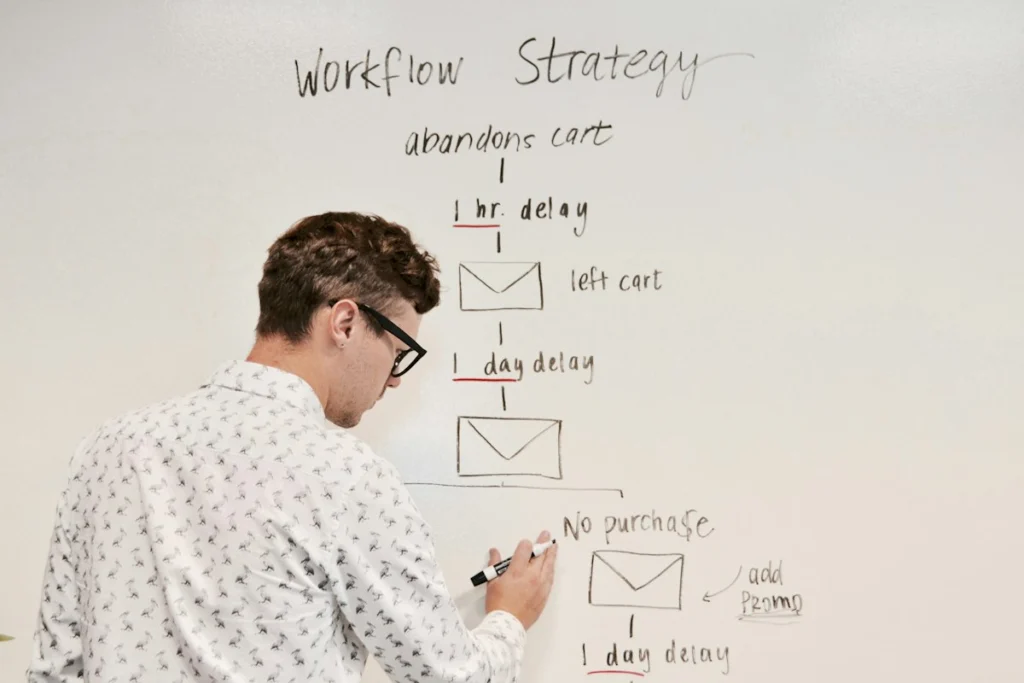
Automating a poorly designed process produces a faster poorly designed process. We map your workflows as they actually execute, including informal steps, exception handling and the manual decisions that are not documented anywhere, before recommending what to automate and in what order. Automation designed from a process map rather than from a process diagram produces fewer surprises in production.

SYSTEMS INTEGRATION

Connect the systems involved in the workflow so data moves without manual intervention

Most automation failures are integration failures. We build integrations between your existing systems with authentication management, data transformation, error handling and retry logic, so a downstream API going down does not produce a manual clean-up task and a gap in the automation history. Integration reliability is a design constraint, not a post-launch optimisation.

TESTING & QUALITY ASSURANCE

Validate automation against realistic scenarios before deploying on live processes

Automation failures in production are more disruptive than manual process failures because they fail consistently rather than occasionally. We test automation against the full range of inputs, edge cases and failure scenarios before production deployment, including deliberate downstream failure testing to validate that error handling works as designed and not just under ideal conditions.

AUTOMATION DESIGN & ARCHITECTURE

Design automation that handles exceptions rather than just the happy path

Automation that only handles the standard case will fail on every exception and require manual intervention that negates the productivity gain. We design automation with explicit exception handling, routing genuinely novel situations to humans while handling everything else without escalation, so the automation is self-sufficient rather than requiring constant supervision.

AI-AUGMENTED AUTOMATION

Add intelligence to automation where decision logic cannot be expressed as a rule

Rule-based automation handles cases where the decision can be specified. AI-augmented automation handles cases where the decision requires pattern recognition, natural language understanding, or evaluation against criteria that cannot be reduced to a fixed rule. We combine both approaches, rules where rules are sufficient, AI where they are not, rather than applying AI to problems that a well-designed rule would solve more reliably.

MONITORING & MAINTENANCE

Keep automation running reliably as the systems it connects to evolve

Automation that is not monitored degrades silently. API changes, schema updates and new exception types accumulate into failures that are only discovered when someone notices that a process has not run. We instrument automation with monitoring, alerting and health checks that surface problems before they become gaps, and maintain automation as the underlying systems change rather than rebuilding it from scratch when something breaks.

Common Questions

We work with Make (formerly Integromat), n8n, Zapier, Microsoft Power Automate, and custom automation built on Python or Node.js. Platform selection depends on workflow complexity, your team’s maintenance capability, integration requirements and whether the automation needs to run on-premise or in the cloud. We do not have a preferred platform, we recommend based on the requirements.
Robotic Process Automation (RPA) mimics user interactions with software, clicking, typing, reading screens, to automate workflows that do not have APIs. It is appropriate when the only way to interact with a system is through its UI. Workflow automation connects systems through APIs and webhooks, which is faster, more reliable and easier to maintain when APIs are available. We use RPA only when API-based integration is not possible.
We design human-in-the-loop steps for every part of the workflow where a decision requires judgement that cannot be specified in advance. The automation handles everything up to the decision point, presents the relevant context to the human decision-maker, and resumes execution once the decision is made. This preserves the efficiency gain for the automatable parts of the workflow without removing humans from the decisions that require them.
We design failure handling so that a broken automation does not produce a silent gap in the process, it produces an alert with enough context for your team to diagnose and address the failure. Depending on the criticality of the workflow, we configure automatic retry logic, fallback routing to manual process, and escalation paths. For business-critical automation, we provide SLA-backed monitoring and incident response.
A single workflow automation with two to four system integrations typically takes three to six weeks from requirements sign-off to production deployment. A broader automation programme covering multiple workflows takes longer and is typically delivered in phases, prioritised by expected productivity impact, rather than as a single large project.

Whats happening in Workflow Automation